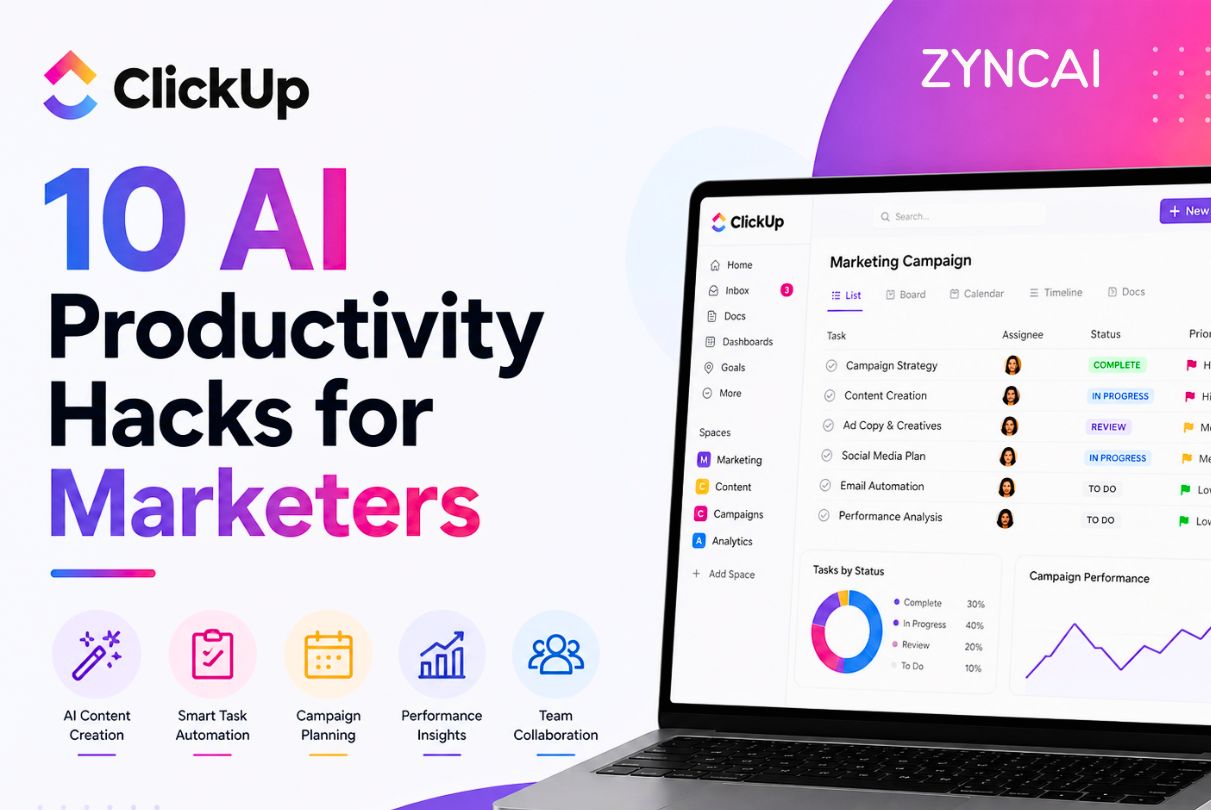
ClickUp for Marketers: 10 AI Productivity Hacks You Need
Marketing today is faster, more complex, and more demanding than ever. Teams are juggling multiple campaigns across social media, email, SEO, paid ads, and content marketing, all while trying to stay aligned with business goals and tight deadlines. On top of those, constant client communication, reporting, and brainstorming, and it is easy to see why productivity becomes a major challenge.
This is where artificial intelligence (AI) is changing the game.
AI is no longer just a buzzword. It is a practical tool that helps marketers automate repetitive work, generate content faster, analyze data efficiently, and make smarter decisions. Marketers can now focus on strategy, creativity, and growth instead of spending hours on manual tasks.
ClickUp is well known as an all-in-one productivity platform, has evolved beyond task management by integrating powerful AI features directly into the ecosystem. From writing content and summarizing meetings to planning campaigns and automating workflows, ClickUp AI is designed to streamline how marketing teams work.
In this guide, you will discover 10 powerful AI productivity hacks that can transform your marketing workflow inside ClickUp. No matter you are a solo marketer, part of a growing startup, or running a full scale agency, these strategies will help you to,
- Save time on repetitive tasks
- Improve team collaboration
- Execute campaigns faster
- Scale your marketing efforts efficiently
What is ClickUp AI?
ClickUp AI (often referred to as ClickUp Brain) is an integrated artificial intelligence system built directly into the ClickUp workspace. It works within your existing tasks, documents, dashboards, and workflows unlike standalone AI tools, which makes it highly practical for day-to-day marketing operations.
At its core, ClickUp AI is designed to assist with three main areas: writing, organizing, and decision-making.
Key Features of ClickUp AI
1. AI Writing Assistant
ClickUp AI can generate, edit, and optimize content directly within Docs and tasks. Marketers can use it to,
- Write blog outlines and drafts
- Create ad copy and email campaigns
- Generate social media captions
- Rewrite or improve existing content
2. Smart Task Management
AI helps convert ideas into actionable tasks. For example,
- Turn a campaign brief into a structured task list
- Break down large projects into subtasks
- Suggest deadlines and priorities
3. AI-Powered Summaries
Instead of manually reviewing long notes or discussions, AI can:
- Summarize meetings
- Extract key action points
- Highlight important updates from comments or documents
4. Workflow Automation Support
ClickUp AI enhances automations by:
- Suggesting workflow improvements
- Helping define triggers and actions
- Reducing manual intervention in repetitive processes
How ClickUp AI Fits Into Marketing Workflows
What makes ClickUp AI particularly powerful is its seamless integration into everyday marketing tasks. You don’t need to switch between multiple tools, it works where your work already lives.
For example,
- In content marketing, AI can generate blog outlines and optimize drafts
- In campaign management, it can break down strategies into executable tasks
- In client communication, it can summarize discussions and create follow-ups
- In reporting, it can generate performance summaries in seconds
Key Benefits for Marketers
1. Time Savings
AI reduces hours spent on repetitive tasks like writing, formatting, and summarizing.
2. Better Organization
Campaigns, tasks, and documents become more structured and easier to manage.
3. Improved Decision-Making
With quick insights and summaries, marketers can act faster and more confidently.
4. Increased Output Without Burnout
Teams can produce more content and campaigns without increasing workload pressure.
Why Marketers Should Use AI in ClickUp
Marketing teams face a unique set of challenges that traditional tools alone can not solve efficiently. AI within ClickUp addresses these pain points directly and helps teams operate at a higher level.
Common Marketing Challenges
1. Content Planning Chaos
Managing blogs, social posts, emails, and ads across different platforms often leads to disorganized workflows and missed deadlines.
2. Task Overload
Marketers handle dozens of tasks daily, many of them repetitive and time-consuming.
3. Team Misalignment
Teams can easily lose track of priorities, leading to delays and confusion without clear communication and structure.
4. Manual Reporting
Creating performance reports manually takes time and often delays decision-making.
How AI Solves These Problem
1. Streamlined Content Planning
AI can generate structured content calendars, ensuring consistency and clarity across campaigns.
2. Reduced Manual Work
From writing drafts to summarizing meetings, AI eliminates repetitive tasks and frees up valuable time.
3. Improved Collaboration
AI-generated summaries, updates, and task breakdowns keep everyone aligned and informed.
4. Faster Reporting and Insights
AI can quickly analyze data and generate summaries, helping teams make faster, data-driven decisions.
The ROI of Using ClickUp AI in Marketing
Adopting AI in your marketing workflow is not just about convenience. It actually delivers measurable results like below,
- Increased productivity: Teams complete tasks faster with fewer resources
- Higher content output: More blogs, ads, and campaigns produced in less time
- Better campaign performance: Faster insights lead to quicker optimization
- Scalability: Easily manage more clients or campaigns without expanding your team
In short, AI transforms ClickUp from a simple project management tool into a full-scale marketing productivity engine.
Hack #1: Turn Client Briefs into Structured Campaign Tasks
One of the biggest productivity drains in marketing is dealing with unstructured client briefs. Despite it is a long email, a voice note, or a loosely written document, turning that information into a clear, actionable campaign plan takes time, and often leads to missed details.
With ClickUp AI, you can instantly convert messy briefs into organized, execution-ready task structures.
The Problem: Unclear and Scattered Briefs
Most client briefs:
- Lack clear deliverables
- Mix strategy with execution details
- Miss timelines or priorities
- Require multiple follow-ups for clarification
This slows down campaign kickoff and creates confusion within teams.
The Solution: AI-Powered Task Structuring
ClickUp AI can analyze a client brief and automatically:
- Extract key deliverables
- Break them into tasks and subtasks
- Assign priorities and deadlines
- Suggest responsible team roles
Instead of manually interpreting everything, you get a ready-to-execute campaign workflow in seconds.
Step-by-Step: How to Do It in ClickUp
- Paste the client brief into a ClickUp Doc or task description
- Highlight the content
- Trigger ClickUp AI (Write with AI / Ask AI)
- Use a prompt like:
Example Prompt:
“Convert this client brief into a structured marketing campaign plan with tasks, subtasks, priorities, and suggested deadlines.”
- Review and refine the generated output
- Convert the AI output into tasks or a checklist inside ClickUp
Example: Before vs After
Before (Raw Brief):
“Launch a new skincare product targeting young adults. Focus on Instagram and TikTok. Need influencer collaborations, ads, and landing page. Timeline: 3 weeks.”
After (AI-Structured Tasks):
- Campaign Strategy Setup
- Define target audience personas
- Finalize messaging and USP
- Social Media Campaign
- Create Instagram content calendar
- Plan TikTok video concepts
- Influencer Marketing
- Identify 10 relevant influencers
- Outreach and negotiation
- Paid Ads
- Create ad creatives
- Set up Meta ad campaigns
- Landing Page
- Write copy
- Design and publish page
- Timeline: Organized across 3 weeks with deadlines
Use Case: Marketing Agency Onboarding a New Client
For agencies, this hack is a game changer.
Instead of spending hours in kickoff meetings and planning:
- Drop the client brief into ClickUp
- Let AI structure the entire campaign
- Share the task list with your team instantly
This reduces onboarding time and ensures nothing slips through the cracks.
Pro Tips to Maximize This Hack
- Use consistent prompt templates for better results
- Combine with ClickUp task templates for repeat clients
- Add custom fields (budget, channel, KPI) after AI generation
- Always do a quick human review before execution
Why This Matters
By turning briefs into structured workflows instantly, you:
- Eliminate manual planning time
- Improve clarity across your team
- Start campaigns faster
- Deliver more consistent results
This is one of the simplest yet most powerful ways to use AI inside ClickUp, and it sets the foundation for every other productivity hack that follows.
Hack #2: Auto-Generate SOPs for Repetitive Marketing Tasks
As marketing teams grow, consistency becomes just as important as creativity. Tasks like publishing social media posts, launching email campaigns, or optimizing blog content are repeated over and over. But without proper documentation, they often get executed differently each time.
That is where Standard Operating Procedures (SOPs) come in.
With ClickUp AI, you can instantly generate clear, structured SOPs for any recurring marketing task, saving hours of manual documentation and ensuring your team operates like a well-oiled machine.
The Problem: Repetitive Work Without Standardization
Most teams struggle with:
- Inconsistent task execution
- Time wasted explaining processes repeatedly
- Difficulty onboarding new team members
- Errors due to missing steps
Creating SOPs manually is time-consuming, so it often gets delayed or ignored.
The Solution: AI-Generated SOPs in Seconds
ClickUp AI can turn any process into a step-by-step SOP document by:
- Breaking down workflows into clear actions
- Structuring instructions logically
- Adding best practices and checkpoints
- Formatting everything into easy-to-follow documentation
This means you can go from “We should document this” to “It’s done” in minutes.
Step-by-Step: How to Create SOPs Using ClickUp AI
- Open a ClickUp Doc
- Describe the process briefly (or paste an existing rough workflow)
- Trigger AI (Write with AI / Ask AI)
- Use a prompt like:
Example Prompt:
“Create a detailed SOP for [task] including step-by-step instructions, tools required, and quality checkpoints.”
- Let AI generate the SOP
- Edit and customize for your brand or workflow
- Save it as a reusable template
Examples of Marketing SOPs You Can Generate
1. Social Media Posting SOP
- Content creation guidelines
- Caption writing structure
- Hashtag strategy
- Posting schedule
- Performance tracking
2. Email Campaign SOP
- Audience segmentation
- Subject line creation
- Email copy structure
- Testing checklist
- Send and reporting process
3. Blog Publishing SOP
- Keyword research steps
- Content structure
- SEO optimization checklist
- Internal linking guidelines
- Publishing workflow
Sample SOP Snippet (AI-Generated)
Task: Publish a Blog Post
- Perform keyword research and finalize target keyword
- Create blog outline with headings (H1, H2, H3)
- Write draft using SEO best practices
- Optimize meta title and description
- Add internal and external links
- Proofread and finalize content
- Publish and schedule promotion
Use Case: Scaling a Marketing Team
If you’re running an agency or growing an in-house team:
- SOPs reduce dependency on senior team members
- New hires can get up to speed faster
- Work quality becomes consistent across campaigns
Instead of explaining tasks repeatedly, you simply share a ClickUp Doc SOP.
Pro Tips to Maximize This Hack
- Store SOPs in a centralized ClickUp Docs folder
- Link SOPs directly to tasks for easy access
- Update SOPs regularly using AI improvements
- Use AI to simplify or rewrite complex instructions
- Combine SOPs with automation for full workflow efficiency
Why This Matters
Auto-generating SOPs with AI helps you:
- Save hours of documentation time
- Standardize your marketing processes
- Reduce errors and rework
- Scale your operations effortlessly
In short, you turn repetitive work into repeatable systems, which is key to long-term growth.
Using ClickUp AI for SOP creation is not just a productivity hack. It is a foundation for building a scalable, efficient marketing engine.
Hack #3: Summarize Meetings & Client Communication
Meetings, client calls, Slack threads, and email chains are essential in marketing. But they also consume a huge amount of time. The real problem is not just the meetings themselves, it is what happens after: reviewing notes, extracting action items, and making sure nothing gets missed.
With ClickUp AI, you can instantly turn long conversations into clear summaries, key decisions, and actionable tasks.
The Problem: Information Overload
Marketing teams deal with:
- Long client calls with scattered ideas
- Endless Slack or email threads
- Notes that are incomplete or unclear
- Missed action items and follow-ups
This leads to confusion, delays, and repeated discussions.
The Solution: AI-Powered Summaries
ClickUp AI can analyze meeting notes, chat logs, or documents and automatically:
- Summarize key discussion points
- Extract action items
- Highlight decisions and deadlines
- Convert insights into tasks
Instead of spending 20–30 minutes reviewing notes, you get a structured summary in seconds.
Step-by-Step: How to Summarize with ClickUp AI
- Paste meeting notes or conversation logs into a ClickUp Doc or task
- Highlight the content
- Trigger AI (Write with AI / Ask AI)
- Use a prompt like:
Example Prompt:
“Summarize this meeting and extract key action items, decisions, and deadlines.”
- Review the AI output
- Convert action items into tasks directly in ClickUp
Example: Before vs After
Before (Raw Notes):
“Client wants to push Instagram ads next week, unsure about budget, need 3 creatives, landing page not finalized, discuss influencer option later…”
After (AI Summary):
Key Decisions:
- Launch Instagram ads campaign next week
Action Items:
- Create 3 ad creatives (Design Team)
- Finalize landing page (Web Team)
- Confirm ad budget with client (Account Manager)
Pending Discussion:
- Influencer collaboration strategy
Integrations That Make This Even More Powerful
You can combine ClickUp AI with tools like:
- Zoom for client meetings
- Slack for team discussions
- Email exports or CRM notes
Simply paste transcripts or notes into ClickUp, and let AI do the rest.
Use Case: Weekly Marketing Sync Meetings
Instead of manually writing summaries after every meeting:
- Drop your notes into ClickUp
- Generate a summary instantly
- Share it with your team
- Convert action items into tasks
This ensures everyone is aligned without extra effort.
Pro Tips to Maximize This Hack
- Use consistent formats (e.g., headings like “Notes” or “Discussion”) for better AI results
- Ask AI to format outputs into sections (Decisions, Actions, Risks)
- Tag team members directly in generated tasks
- Store summaries in a shared folder for easy access
Why This Matters
By automating meeting summaries, you:
- Save hours every week
- Improve clarity and accountability
- Ensure no task is forgotten
- Speed up execution after discussions
This hack alone can significantly reduce communication overhead and make your team more efficient.
With ClickUp AI handling summaries and follow ups, your team can focus less on documentation, and more on delivering results.
Hack #4: AI-Based Task Prioritization for Campaigns
When you are running multiple marketing campaigns at once, everything can feel urgent. From content creation and ad launches to client approvals and reporting, it’s easy for teams to get overwhelmed, and even easier for high-impact tasks to get buried under less important work.
This is where AI-powered prioritization inside ClickUp becomes a game changer.
The Problem: Too Many Tasks, No Clear Priority
Marketing teams often face:
- Dozens (or hundreds) of active tasks across campaigns
- Confusion over what should be done first
- Missed deadlines due to poor prioritization
- Time spent on low-impact work instead of high value tasks
Without a clear system, productivity drops and campaign performance suffers.
The Solution: AI-Driven Prioritization
ClickUp AI can analyze your tasks and help you:
- Identify high-impact vs low-impact activities
- Assign priority levels (urgent, high, normal, low)
- Suggest execution order based on deadlines and dependencies
- Highlight blockers that could delay campaigns
Instead of guessing what matters most, you get data informed task prioritization in seconds.
Step-by-Step: How to Prioritize Tasks with ClickUp AI
- Open your campaign task list in ClickUp
- Select a group of tasks (or the full campaign)
- Trigger AI (Ask AI / Write with AI)
- Use a prompt like:
Example Prompt:
“Analyze these tasks and prioritize them based on urgency, impact, and dependencies. Suggest an execution order.”
- Review AI suggestions
- Apply priority tags or reorder tasks accordingly
Example: Product Launch Campaign
Unorganized Task List:
- Design ad creatives
- Write landing page copy
- Set up email campaign
- Launch paid ads
- Create social media posts
- QA landing page
AI-Prioritized Output:
High Priority (Do First):
- Write landing page copy
- Design ad creatives
Medium Priority:
- QA landing page
- Set up email campaign
Lower Priority:
- Create social media posts
Final Step:
- Launch paid ads (dependent on above tasks)
This ensures that critical path tasks are completed first, reducing delays.
Use Case: Managing Multiple Campaigns
If you are handling:
- 3 to 5 clients
- Multiple channels (SEO, social, ads, email)
- Tight deadlines
AI prioritization helps you:
- Focus on what drives results
- Avoid bottlenecks
- Keep campaigns moving smoothly
Pro Tips to Maximize This Hack
- Add task details (deadlines, goals, dependencies) before using AI
- Use custom fields like “Impact” or “Effort” for better prioritization
- Combine with ClickUp Dashboards to visualize priorities
- Re-run AI prioritization when campaign conditions change
Why This Matters
Smart prioritization is the difference between busy work and impactful work.
By using AI inside ClickUp, you:
- Reduce decision fatigue
- Focus on high-value tasks
- Improve campaign execution speed
- Deliver better results with the same resources
Instead of asking “What should we do next?”, your team always knows exactly where to focus.
Hack #5: Generate High-Converting Marketing Copy
Writing compelling marketing copy consistently is one of the hardest, and most time consuming tasks for any marketer. No matter whether it is ad creatives, email campaigns, landing pages, or social captions, you are constantly under pressure to produce content that not only sounds good but converts.
You can generate high-quality, conversion-focused copy in seconds with ClickUp AI, right where your work is already happening.
The Problem: Time-Consuming Copywriting
Marketing teams often struggle with:
- Writer’s block and creative fatigue
- Tight deadlines for multiple campaigns
- Inconsistent messaging across channels
- Endless revisions to improve performance
Good copy takes time. But in fast-paced marketing, time is limited.
The Solution: AI-Powered Copy Generation
ClickUp AI acts as your built-in copywriter. It can:
- Generate fresh copy ideas instantly
- Rewrite and optimize existing content
- Adapt tone for different platforms
- Create multiple variations for testing
Instead of starting from scratch, you get a strong first draft (or multiple options) within seconds.
Step-by-Step: How to Generate Copy in ClickUp
- Open a ClickUp Doc or task
- Click “Write with AI”
- Select the type of content (or use a custom prompt)
- Enter your requirements
Example Prompt:
“Write 5 high-converting Facebook ad copies for a skincare product targeting women aged 20–35. Focus on clear skin, confidence, and limited-time offers.”
- Review and refine the generated copy
- Use directly or test multiple variations
What You Can Create with ClickUp AI
1. Ad Copy
- Facebook, Instagram, Google Ads
- Hooks, CTAs, and value propositions
2. Email Campaigns
- Subject lines
- Promotional emails
- Follow-up sequences
3. Landing Page Content
- Headlines
- Product descriptions
- Benefit-driven sections
4. Social Media Captions
- Platform-specific tone (LinkedIn vs TikTok)
- Hashtag suggestions
Example Output (AI-Generated Ad Copy)
Headline:
“Get Clear, Glowing Skin in Just 7 Days ✨”
Body:
Say goodbye to breakouts and dull skin. Our skincare formula is designed to give you visible results fast—without harsh chemicals.
CTA:
Shop now and enjoy 20% off—limited time only!
Use Case: Running Multiple Campaign Variations
Instead of writing one version of a campaign:
- Generate 5–10 variations using AI
- Test different angles (emotional, benefit-driven, urgency)
- Identify top-performing copy faster
This is especially useful for A/B testing ads and email campaigns.
Pro Tips to Maximize This Hack
- Be specific with your prompts (audience, tone, goal)
- Ask for multiple variations to test performance
- Combine AI drafts with your brand voice guidelines
- Use AI to rewrite underperforming copy
- Add constraints like “short,” “persuasive,” or “high urgency”
Why This Matters
Great copy drives conversions, but creating it consistently is challenging.
By using AI inside ClickUp, you:
- Speed up content creation
- Reduce creative fatigue
- Improve campaign performance
- Scale your marketing output effortlessly
Instead of spending hours crafting copy, you can focus on strategy, testing, and optimization, which is where real growth happens.
Hack #6: Content Calendar Planning in Seconds
Planning a consistent, high-quality content calendar is one of the most time intensive parts of marketing. Despite you are managing blogs, social media, emails, or video content, aligning everything into a structured schedule can quickly become overwhelming.
You can generate a complete, strategic content calendar in seconds, eliminating hours of manual planning with ClickUp AI.
The Problem: Disorganized Content Planning
Most marketing teams struggle with:
- Last-minute content creation
- Inconsistent posting schedules
- Lack of alignment across channels
- Difficulty coming up with fresh ideas regularly
Without a clear plan, content becomes reactive instead of strategic.
The Solution: AI-Powered Content Calendar Generation
ClickUp AI can instantly:
- Generate content ideas based on your niche
- Organize them into a daily/weekly/monthly calendar
- Align content with marketing goals (traffic, engagement, conversions)
- Suggest formats (blog, reel, carousel, email, etc.)
This transforms content planning from a time-consuming task into a quick, repeatable process.
Step-by-Step: How to Create a Content Calendar with ClickUp AI
- Open a ClickUp Doc or List
- Trigger AI (Write with AI / Ask AI)
- Use a prompt like:
Example Prompt:
“Create a 30-day content calendar for a digital marketing brand targeting small business owners. Include content ideas, formats, and posting platforms.”
- Review the generated calendar
- Convert items into tasks with deadlines
- Assign team members and track progress
Example: AI-Generated Weekly Content Plan
Monday: Blog post of “Top 5 SEO Tips for Beginners”
Tuesday: Instagram carousel of SEO checklist
Wednesday: LinkedIn post of Case study
Thursday: TikTok/Reel of Quick SEO hack
Friday: Email newsletter of Weekly insights
This provides a clear, actionable roadmap for your content team.
Use Case: Multi-Channel Marketing Strategy
If you are managing:
- Social media (Instagram, LinkedIn, TikTok)
- Blog content
- Email marketing
AI helps you:
- Maintain consistency across all platforms
- Repurpose content effectively
- Align messaging with campaign goals
Pro Tips to Maximize This Hack
- Specify your target audience and niche in prompts
- Ask AI to include content goals (awareness, leads, sales)
- Use ClickUp Calendar View to visualize your plan
- Combine with task templates for faster execution
- Refresh your calendar monthly using AI
Why This Matters
A well-planned content calendar is the backbone of successful marketing.
By using AI inside ClickUp, you:
- Eliminate last-minute content stress
- Stay consistent across platforms
- Improve content quality and strategy
- Scale your content marketing efforts
Instead of wondering “What should we post next?”, your team always has a clear, data-driven content plan ready to execute.
Hack #7: Automate Reporting & Performance Summaries
Marketing does not stop at execution, tracking performance and reporting results is just as important. But for many teams, reporting is one of the most time-consuming and repetitive tasks.
Pulling data, analyzing metrics, and creating summaries manually can take hours every week.
You can automate this entire process and generate clear, actionable performance reports in seconds, with using ClickUp AI.
The Problem: Manual Reporting Takes Too Much Time
Marketing teams often deal with:
- Collecting data from multiple platforms (ads, social, email)
- Manually compiling reports
- Interpreting metrics for clients or stakeholders
- Repeating the same reporting process weekly or monthly
This not only slows down productivity but also delays decision-making.
The Solution: AI-Generated Reports & Insights
ClickUp AI can transform raw data or notes into:
- Performance summaries
- Key insights and trends
- Actionable recommendations
- Client-ready reports
Instead of just showing numbers, AI helps you explain what the data actually means.
Step-by-Step: How to Automate Reports in ClickUp
- Gather campaign data (metrics, notes, dashboards)
- Paste the data into a ClickUp Doc or task
- Trigger AI (Write with AI / Ask AI)
- Use a prompt like:
Example Prompt:
“Analyze this marketing performance data and generate a summary with key insights, trends, and recommended next steps.”
- Review and refine the output
- Share the report with your team or clients
Key Metrics You Can Analyze
- Click-through rate (CTR)
- Conversion rate
- Cost per acquisition (CPA)
- Engagement rate
- Traffic and impressions
AI can quickly identify patterns and highlight what’s working, and what’s not.
Example: AI-Generated Report Summary
Performance Summary:
- CTR increased by 18% compared to last week
- Conversion rate improved on landing pages
Key Insight:
- Video-based ads are outperforming static creatives
Recommendation:
- Allocate more budget to video campaigns
- Test additional video variations
Use Case: Weekly Client Reporting
Instead of spending hours creating reports:
- Input your campaign data into ClickUp
- Generate a full report instantly
- Share a polished summary with clients
This improves both efficiency and professionalism.
Pro Tips to Maximize This Hack
- Standardize your reporting format for consistency
- Use AI prompts that include “insights” and “recommendations”
- Combine with ClickUp Dashboards for visual data tracking
- Save report templates for recurring use
- Use AI to simplify complex data for non-technical clients
Why This Matters
Fast, accurate reporting is critical for marketing success.
By using AI inside ClickUp, you:
- Save hours on manual reporting
- Deliver clearer insights to stakeholders
- Make faster, data-driven decisions
- Improve campaign performance over time
Instead of spending time building reports, you can focus on optimizing results and scaling what works.
Hack #8: Brainstorm Campaign Ideas Instantly
Even the best marketers hit creative blocks. Coming up with fresh campaign ideas, viral hooks, or unique angles, specially under tight deadlines, can slow down your entire workflow.
You can generate dozens of creative marketing ideas in seconds with ClickUp AI, helping you move from “stuck” to “ready to execute” almost instantly.
The Problem: Creative Fatigue
Marketing teams often face:
- Repetitive campaign ideas that don’t stand out
- Pressure to constantly innovate
- Difficulty brainstorming under deadlines
- Limited time for deep creative thinking
This leads to average campaigns instead of high-performing ones.
The Solution: AI-Powered Idea Generation
ClickUp AI acts as your creative partner. It can:
- Generate campaign concepts based on your niche
- Suggest hooks, angles, and messaging ideas
- Provide variations for different platforms
- Inspire new directions you might not have considered
Instead of relying solely on manual brainstorming, you get instant inspiration on demand.
Step-by-Step: How to Brainstorm Ideas with ClickUp AI
- Open a ClickUp Doc
- Click “Write with AI”
- Enter your campaign context
Example Prompt:
“Generate 10 creative marketing campaign ideas for a fitness brand targeting busy professionals. Include hooks and content angles.”
- Review the generated ideas
- Select the best ones and convert them into tasks
Examples of AI-Generated Campaign Ideas
1. “7-Day Transformation Challenge”
Encourage users to share progress daily using a branded hashtag.
2. “Before vs After Stories”
User-generated content showcasing real results.
3. “Myth-Busting Series”
Debunk common misconceptions in your niche.
4. “Behind-the-Scenes Content”
Show how your product or service works internally.
5. “Limited-Time Transformation Offer”
Create urgency with time-bound campaigns.
Use Case: Seasonal Campaign Planning
Planning campaigns for events like:
- New Year
- Black Friday
- Product launches
AI can quickly generate:
- Theme ideas
- Messaging angles
- Content formats
This helps you stay ahead of trends and launch campaigns faster.
Pro Tips to Maximize This Hack
- Be specific about your target audience and goal
- Ask for different tones (funny, emotional, premium, urgent)
- Request platform-specific ideas (Instagram, TikTok, LinkedIn)
- Combine multiple AI outputs for stronger concepts
- Save your best ideas in a ClickUp Doc for future use
Why This Matters
Creativity is at the heart of marketing, but it shouldn’t slow you down.
By using AI inside ClickUp, you:
- Eliminate creative blocks
- Generate ideas faster
- Explore more campaign variations
- Launch more engaging and effective campaigns
Instead of waiting for inspiration, you can create it on demand—and turn ideas into action immediately.
Hack #9: Improve Team Collaboration with AI Assistance
Marketing success is not just about great ideas. It is about how well your team communicates and executes those ideas together. But in fast moving environments, collaboration can easily break down due to scattered conversations, unclear updates, and missed information.
You can streamline communication, reduce back-and-forth, and keep everyone aligned—without adding more meetings with using ClickUp AI.
The Problem: Communication Gaps & Team Misalignment
Marketing teams often struggle with:
- Endless comment threads on tasks
- Misunderstood requirements or updates
- Delays caused by waiting for responses
- Information scattered across tools (chat, docs, emails)
This leads to confusion, duplicated work, and slower execution.
The Solution: AI-Assisted Collaboration
ClickUp AI enhances collaboration by:
- Summarizing long comment threads
- Generating clear task updates
- Rewriting unclear messages for better clarity
- Suggesting responses and next steps
Instead of manually tracking conversations, your team gets clear, structured communication instantly.
Step-by-Step: How to Use AI for Collaboration in ClickUp
- Open a task with multiple comments or updates
- Trigger AI (Ask AI / Summarize)
- Use a prompt like:
Example Prompt:
“Summarize this discussion and highlight key decisions, blockers, and next steps.”
- Review the summary
- Share it with your team or convert it into task updates
Example: Before vs After
Before (Comment Thread):
Multiple messages discussing design changes, deadlines, and feedback—spread across 10+ comments.
After (AI Summary):
Key Updates:
- Final design direction approved
- Deadline moved to Friday
Blockers:
- Waiting for client feedback on copy
Next Steps:
- Finalize design assets
- Follow up with client
Use Case: Cross-Functional Marketing Teams
When working with:
- Designers
- Copywriters
- Ad specialists
- Account managers
AI helps ensure:
- Everyone understands the latest updates
- Tasks are clearly defined
- Communication stays efficient and focused
Pro Tips to Maximize This Hack
- Use AI to rewrite unclear instructions before assigning tasks
- Summarize long discussions before team handovers
- Create quick daily/weekly updates using AI
- Tag team members in AI-generated summaries for accountability
- Combine with ClickUp notifications to keep everyone informed
Why This Matters
Better collaboration leads to faster execution and better results.
By using AI inside ClickUp, you:
- Reduce unnecessary communication
- Improve clarity across your team
- Minimize errors and misunderstandings
- Keep projects moving without delays
Instead of getting lost in conversations, your team stays focused on what really matters—delivering high-impact marketing campaigns efficiently.
Hack #10: Build End-to-End Marketing Workflows with AI
Most marketing teams do not struggle with ideas. Actually they struggle with execution consistency. Campaigns often involve multiple steps, tools, and team members, which can lead to bottlenecks, missed steps, and inefficiencies.
With using ClickUp AI, you can design and automate end-to-end marketing workflows that run smoothly from planning to execution, without reinventing the process every time.
The Problem: Fragmented Marketing Processes
Typical campaign workflows are:
- Spread across multiple tools
- Dependent on manual handoffs
- Difficult to track end-to-end
- Prone to delays and errors
Without a structured system, scaling campaigns becomes chaotic.
The Solution: AI-Driven Workflow Creation
ClickUp AI helps you:
- Map out complete workflows from start to finish
- Generate task sequences automatically
- Define dependencies and timelines
- Suggest automation opportunities
Instead of building workflows manually, you get a ready-to-use system tailored to your campaign goals.
Step-by-Step: How to Build a Workflow with ClickUp AI
- Open a ClickUp Doc or List
- Describe your campaign or process
- Trigger AI (Write with AI / Ask AI)
- Use a prompt like:
Example Prompt:
“Create a complete marketing workflow for a lead generation campaign, including tasks, dependencies, timelines, and automation suggestions.”
- Review the generated workflow
- Convert it into tasks, subtasks, and automations in ClickUp
Example: Lead Generation Campaign Workflow
1. Strategy & Planning
- Define target audience
- Set campaign goals and KPIs
2. Content Creation
- Create landing page copy
- Design creatives
- Develop lead magnet
3. Campaign Setup
- Configure ad campaigns
- Set up email automation
- Integrate tracking tools
4. Launch & Execution
- Launch ads
- Publish content
- Monitor performance
5. Optimization
- Analyze results
- Adjust targeting and creatives
- A/B test variations
6. Reporting
- Generate performance reports
- Share insights with stakeholders
Use Case: Scaling a Marketing Agency
For agencies managing multiple clients:
- Create reusable workflow templates
- Use AI to customize workflows per client
- Automate repetitive steps (task creation, status updates)
This allows you to handle more campaigns without increasing team size.
Pro Tips to Maximize This Hack
- Combine AI workflows with ClickUp Automations
- Save workflows as templates for repeated use
- Use custom statuses (e.g., Planning, In Progress, Review, Completed)
- Add dependencies to prevent task overlaps
- Continuously improve workflows using AI suggestions
Why This Matters
A well-structured workflow is the backbone of scalable marketing.
By using AI inside ClickUp, you:
- Standardize campaign execution
- Reduce manual coordination
- Improve team efficiency
- Scale operations with ease
Instead of managing chaos, you build a repeatable, high-performing marketing system that delivers consistent results every time.
Real-Life Use Cases of ClickUp AI in Marketing
Understanding features is one thing. But seeing how they work in real scenarios is what truly unlocks their value. Let’s look at how different types of marketing teams are using ClickUp AI to improve productivity, streamline workflows, and scale results.
1. Marketing Agency: Faster Client Onboarding & Campaign Execution
Scenario:
A digital marketing agency handles multiple clients across SEO, paid ads, and social media. Each new client requires onboarding, campaign planning, and task setup.
How ClickUp AI Helps:
- Converts client briefs into structured campaign tasks
- Generates SOPs for recurring services (SEO audits, ad setup, reporting)
- Summarizes client meetings and extracts action items
- Creates ready-to-use content calendars
Result:
- Onboarding time reduced significantly
- Faster campaign launches
- Improved team alignment across multiple accounts
2. E-commerce Brand: Scaling Content & Ad Campaigns
Scenario:
An e-commerce business needs to consistently create product content, run ads, and manage promotions across multiple platforms.
How ClickUp AI Helps:
- Generates product descriptions and ad copy variations
- Plans monthly content calendars for social media
- Suggests campaign ideas for promotions and seasonal sales
- Automates reporting for ad performance
Result:
- Increased content output without hiring more staff
- Better-performing ad campaigns through rapid testing
- More consistent brand messaging
3. SaaS Marketing Team: Managing Complex Campaigns
Scenario:
A SaaS company runs multiple campaigns including lead generation, webinars, product launches, and email automation.
How ClickUp AI Helps:
- Builds end-to-end workflows for each campaign
- Prioritizes tasks based on impact and deadlines
- Summarizes internal discussions and meeting notes
- Generates reports with actionable insights
Result:
- Improved campaign coordination
- Faster decision-making
- Better visibility into performance metrics
4. Content Marketing Team: Consistent Publishing & SEO Growth
Scenario:
A content team is responsible for publishing blogs, newsletters, and social content regularly while maintaining SEO performance.
How ClickUp AI Helps:
- Generates blog outlines and drafts
- Creates SEO-optimized content calendars
- Builds SOPs for content creation and publishing
- Summarizes performance data for optimization
Result:
- Higher publishing consistency
- Improved content quality
- Better search rankings and engagement
5. Freelance Marketer: Managing Multiple Clients Efficiently
Scenario:
A freelance marketer handles multiple clients with limited time and resources.
How ClickUp AI Helps:
- Organizes tasks and priorities across clients
- Generates quick content and campaign ideas
- Automates reporting and client updates
- Reduces manual workload
Result:
- Increased productivity
- Ability to take on more clients
- Better work-life balance
Best AI Prompts for ClickUp (Ready-to-Use)
Knowing how to use AI is powerful. But knowing what to ask is what truly unlocks its potential. With ClickUp AI, the quality of your prompts directly impacts the quality of your results.
Below are high-performing, copy-paste AI prompts specifically designed for marketers. You can use these inside ClickUp Docs, tasks, or comments to speed up your workflow instantly.
1. Content Creation Prompts
Use these prompts to generate blogs, social media content, and marketing copy.
Blog Outline Prompt:
“Create a detailed SEO-optimized blog outline on [topic] targeting [audience]. Include headings, subheadings, and key points.”
Blog Writing Prompt:
“Write a 1,500-word blog post on [topic] with an engaging introduction, actionable insights, and SEO-friendly structure.”
Social Media Captions:
“Generate 10 engaging Instagram captions for [product/service] with a conversational tone and relevant hashtags.”
Ad Copy Variations:
“Write 5 high-converting ad copies for [product] targeting [audience]. Include strong hooks and clear CTAs.”
2. Campaign Planning Prompts
Perfect for structuring and executing marketing campaigns.
Campaign Plan Prompt:
“Create a complete marketing campaign plan for [goal/product], including strategy, channels, tasks, and timeline.”
Content Calendar Prompt:
“Generate a 30-day content calendar for [niche] including topics, formats, and platforms.”
Target Audience Breakdown:
“Define target audience personas for [product/service], including demographics, pain points, and motivations.”
3. Task & Workflow Prompts
Turn ideas into actionable execution plans.
Task Breakdown Prompt:
“Break down this campaign into tasks and subtasks with priorities and deadlines: [paste details].”
Workflow Creation Prompt:
“Create a step-by-step workflow for [process] including dependencies and recommended automations.”
Prioritization Prompt:
“Analyze these tasks and prioritize them based on impact, urgency, and dependencies.”
4. Reporting & Analytics Prompts
Quickly generate insights from your data.
Performance Summary Prompt:
“Summarize this marketing data and provide key insights, trends, and recommendations: [paste data].”
Weekly Report Prompt:
“Create a client-friendly weekly marketing report with highlights, performance metrics, and next steps.”
Optimization Prompt:
“Analyze this campaign performance and suggest 3 ways to improve results.”
5. SEO Optimization Prompts
Boost your content visibility and rankings.
Keyword Research Prompt:
“Generate a list of primary and secondary keywords for [topic] with search intent.”
Meta Description Prompt:
“Write 5 SEO-optimized meta descriptions for a blog about [topic], under 160 characters.”
Content Optimization Prompt:
“Improve this content for SEO by optimizing headings, keyword usage, and readability: [paste content].”
6. Brainstorming & Creative Prompts
Break through creative blocks instantly.
Campaign Ideas Prompt:
“Generate 10 creative marketing campaign ideas for [brand/product] targeting [audience].”
Hook Ideas Prompt:
“Write 10 scroll-stopping hooks for [platform] related to [topic].”
Content Angles Prompt:
“Suggest 5 unique content angles for promoting [product/service].”
7. Communication & Collaboration Prompts
Improve clarity and team alignment.
Meeting Summary Prompt:
“Summarize this discussion and extract key decisions, action items, and deadlines.”
Task Update Prompt:
“Write a clear task update summarizing progress, blockers, and next steps.”
Message Rewrite Prompt:
“Rewrite this message to be more clear and professional: [paste message].”
Pro Tips for Writing Better Prompts
To get the best results from ClickUp AI:
- Be specific about audience, goal, and format
- Include context (platform, tone, objective)
- Ask for multiple variations when possible
- Refine outputs instead of expecting perfection in one go
- Save your best prompts as reusable templates
ClickUp AI vs Other Marketing Tools
With so many productivity and project management tools available, choosing the right one for your marketing workflow can be challenging. While many platforms offer task management or documentation, not all provide deep AI integration across your entire workflow.
Let’s compare ClickUp AI with other popular tools marketers often use.
1. ClickUp AI vs Notion
Notion Strengths:
- Clean, flexible workspace
- Great for documentation and knowledge bases
- Strong AI for writing and note-taking
Limitations for Marketers:
- Limited advanced task and workflow automation
- Less structured for managing large-scale campaigns
ClickUp AI Advantage:
- Combines docs, tasks, dashboards, and automation in one platform
- AI works directly within task management and execution
- Better suited for campaign tracking and team collaboration
Best Choice:
- Use Notion for documentation-heavy workflows
- Use ClickUp for execution-driven marketing teams
2. ClickUp AI vs Trello
Trello Strengths:
- Simple and intuitive Kanban boards
- Easy to use for small teams
Limitations for Marketers:
- Limited scalability for complex campaigns
- Minimal built-in AI capabilities
- Lacks advanced reporting and workflow automation
ClickUp AI Advantage:
- Advanced task hierarchy (tasks, subtasks, dependencies)
- Built-in AI for writing, planning, and reporting
- Scales easily for agencies and large teams
Best Choice:
- Use Trello for simple task tracking
- Use ClickUp for end-to-end marketing management
3. ClickUp AI vs Asana
Asana Strengths:
- Strong project management features
- Good for team collaboration and tracking
Limitations for Marketers:
- AI features are still evolving and less integrated
- Requires additional tools for content creation and ideation
ClickUp AI Advantage:
- AI is deeply embedded across docs, tasks, and workflows
- Supports both execution and content generation
- More customization and flexibility
Best Choice:
- Use Asana for structured project management
- Use ClickUp for AI-powered marketing workflows
Quick Comparison Table
| Feature | ClickUp AI | Notion | Trello | Asana |
|---|---|---|---|---|
| AI Writing | ✅ Advanced | ✅ Strong | ❌ Limited | ⚠️ Basic |
| Task Management | ✅ Advanced | ⚠️ Moderate | ⚠️ Basic | ✅ Strong |
| Workflow Automation | ✅ Strong | ⚠️ Limited | ❌ Basic | ✅ Moderate |
| Campaign Management | ✅ Excellent | ⚠️ Limited | ❌ Weak | ✅ Good |
| Reporting & Dashboards | ✅ Advanced | ❌ Limited | ❌ Limited | ✅ Moderate |
| All-in-One Capability | ✅ Yes | ⚠️ Partial | ❌ No | ⚠️ Partial |
Pros and Cons of Using ClickUp AI for Marketing
Like any tool, ClickUp AI is not perfect. But it offers a powerful set of advantages that can significantly improve marketing productivity when used correctly. Let’s break down the key pros and cons so you can decide if it’s the right fit for your workflow.
Pros of ClickUp AI for Marketers
1. All-in-One Marketing Platform
ClickUp combines tasks, docs, goals, dashboards, and AI in a single workspace.
This eliminates the need to juggle multiple tools for planning, execution, and reporting.
Why it matters:
Less tool-switching = more focus and productivity.
2. Built-In AI Across Workflows
Unlike standalone AI tools, ClickUp AI is integrated directly into:
- Tasks
- Docs
- Comments
- Dashboards
You can write, plan, summarize, and optimize without leaving your workspace.
Why it matters:
AI becomes part of your daily workflow—not an extra step.
3. Strong Automation Capabilities
ClickUp allows you to automate:
- Task creation
- Status updates
- Notifications
- Workflow triggers
Combined with AI, this creates a highly efficient system.
Why it matters:
Reduces manual work and improves execution speed.
4. Scalable for Teams and Agencies
Whether you’re a solo marketer or managing multiple clients, ClickUp can scale with you:
- Custom workflows
- Templates
- Role-based access
Why it matters:
You don’t outgrow the platform as your operations expand.
5. Improves Productivity and Output
With AI handling repetitive tasks like:
- Writing drafts
- Summarizing meetings
- Generating reports
Teams can focus on strategy and creativity.
Why it matters:
More output without increasing workload.
Cons of ClickUp AI for Marketers
1. Learning Curve
ClickUp is feature-rich, which can feel overwhelming at first:
- Multiple views (List, Board, Calendar, etc.)
- Advanced customization options
Impact:
New users may need time to fully understand and utilize the platform.
2. AI Still Requires Human Input
While powerful, AI isn’t perfect:
- Outputs may need editing
- Context-specific accuracy can vary
Impact:
You still need human review for quality and brand consistency.
3. Pricing Considerations
Advanced AI features are typically part of paid plans.
Impact:
May not be ideal for very small teams or individuals on a tight budget.
4. Initial Setup Takes Time
To fully benefit from ClickUp:
- Workspaces need proper structuring
- Workflows and templates need to be created
Impact:
There’s an upfront time investment before seeing full results.
Balanced Verdict
ClickUp AI is not just a productivity tool. It is a marketing operations system.
Best suited for:
- Marketing agencies
- Growing teams
- Content-heavy businesses
- Marketers managing multiple campaigns
Less ideal for:
- Users looking for a very simple, minimal tool
- Teams unwilling to invest time in setup and optimization
Tips to Maximize ClickUp AI Productivity
Getting access to ClickUp AI is just the first step. The real value comes from how you use it consistently within your workflows. Without the right setup and habits, even the most powerful AI features can feel underutilized.
Here are practical, high-impact tips to help you get the most out of ClickUp AI for your marketing operations.
1. Use Templates for Everything Repetitive
If you’re doing the same type of work repeatedly (campaigns, content, reports), don’t start from scratch every time.
- Create reusable task templates for campaigns
- Build Doc templates for SOPs and reports
- Combine templates with AI prompts for faster execution
Why it works:
AI + templates = speed + consistency.
2. Standardize Your AI Prompts
Instead of writing new prompts every time:
- Save your best-performing prompts
- Create a prompt library for your team
- Use consistent formats for similar tasks
Example:
Use the same prompt structure for blog writing, ad copy, or reporting.
Why it works:
Better prompts = better outputs with less effort.
3. Combine AI with Automations
ClickUp’s automation features become much more powerful when paired with AI.
For example:
- Automatically create tasks → Use AI to generate descriptions
- Change task status → Trigger AI summaries
- Assign tasks → Add AI-generated instructions
Why it works:
You reduce manual work to near zero.
4. Organize Your Workspace for AI Efficiency
AI performs better when your workspace is structured.
- Use clear folder and list hierarchies
- Add detailed task descriptions
- Include relevant context (goals, audience, deadlines)
Why it works:
More context = more accurate AI outputs.
5. Always Review and Refine AI Outputs
AI is powerful, but it’s not perfect.
- Edit content to match your brand voice
- Double-check facts and accuracy
- Add human creativity and insights
Why it works:
The best results come from AI + human expertise, not AI alone.
6. Train Your Team to Use AI Effectively
If you’re working with a team:
- Provide training on how to use ClickUp AI
- Share prompt examples and workflows
- Encourage experimentation and feedback
Why it works:
A well-trained team multiplies the impact of AI.
7. Use AI for First Drafts, Not Final Output
Instead of expecting perfection:
- Use AI to generate drafts quickly
- Refine and optimize manually
Why it works:
You eliminate the hardest part—starting from scratch.
8. Leverage Multiple AI Use Cases Together
Don’t limit AI to just one task.
Combine multiple hacks:
- Generate campaign ideas → turn into tasks → prioritize → execute → report
Why it works:
You create a fully AI-powered workflow, not isolated improvements.
9. Continuously Optimize Your Workflows
Your workflows shouldn’t stay static.
- Review what’s working and what’s not
- Use AI to suggest improvements
- Update templates and processes regularly
Why it works:
Continuous improvement leads to long-term efficiency gains.
10. Start Small, Then Scale
Don’t try to implement everything at once.
- Start with 1–2 use cases (e.g., content creation + reporting)
- Master them
- Gradually expand to full workflows
Why it works:
You avoid overwhelm and build momentum.
FAQs
Q1. What is ClickUp AI?
A1. ClickUp AI is an integrated artificial intelligence feature within ClickUp that helps users automate tasks, generate content, summarize information, and improve workflow efficiency.
Q2. How does ClickUp AI help marketers?
A2. It helps marketers automate content creation, plan campaigns, prioritize tasks, summarize meetings, and generate reports—saving time and improving productivity.
Q3. Is ClickUp AI suitable for beginners?
A3. Yes, beginners can use it effectively, though there may be a learning curve due to ClickUp’s wide range of features.
Q4. Can ClickUp AI generate marketing content?
A4. Yes, it can create blog posts, ad copy, email campaigns, and social media captions with minimal input.
Q5. Does ClickUp AI replace copywriters?
A5. No, it supports copywriters by generating drafts and ideas, but human creativity and editing are still essential.
Q6. How accurate is ClickUp AI?
A6. It is generally accurate but may require human review for context, tone, and factual correctness.
Q7. Can ClickUp AI create full marketing campaigns?
A7. Yes, it can generate campaign plans, including tasks, timelines, and strategies, based on prompts.
Q8. Is ClickUp AI free?
A8. ClickUp AI is typically included in paid plans, depending on the pricing tier.
Q9. How does ClickUp AI compare to other AI tools?
A9. Unlike standalone tools, ClickUp AI is embedded within workflows, making it more practical for execution.
Q10. Can ClickUp AI help with SEO?
A10. Yes, it can generate keyword ideas, optimize content, and create SEO-friendly structures.
Q11. What are the best use cases of ClickUp AI for marketing?
A11. Content creation, campaign planning, reporting, task prioritization, and workflow automation.
Q12. Can ClickUp AI summarize meetings?
A12. Yes, it can extract key points, decisions, and action items from meeting notes or transcripts.
Q13. Does ClickUp AI support team collaboration?
A13. Yes, it improves collaboration by summarizing discussions, generating updates, and clarifying communication.
Q14. Can ClickUp AI automate reporting?
A14. Yes, it can analyze data and generate performance summaries with insights and recommendations.
Q15. Is ClickUp AI useful for agencies?
A15. Yes, agencies can use it to manage multiple clients, streamline workflows, and scale operations.
Q16. How does ClickUp AI improve productivity?
A16. It reduces manual work, speeds up content creation, and automates repetitive tasks.
Q17. Can ClickUp AI generate SOPs?
A17. Yes, it can create structured step-by-step SOPs for repetitive marketing processes.
Q18. What is the biggest advantage of ClickUp AI?
A18. Its ability to combine AI with project management in a single platform.
Q19. Does ClickUp AI work for freelancers?
A19. Yes, freelancers can use it to manage clients, create content, and improve efficiency
Q20. Can ClickUp AI help with social media marketing?
A20. Yes, it can generate captions, plan content calendars, and suggest campaign ideas.
Q21. How do prompts affect ClickUp AI output?
A21. Better prompts with clear context produce more accurate and useful results.
Q22. Can ClickUp AI prioritize tasks automatically?
A22. Yes, it can analyze tasks and suggest priorities based on urgency and impact.
Q23. Does ClickUp AI integrate with other tools?
A23. Yes, ClickUp integrates with tools like Slack, email, and other platforms to enhance workflows.
Q24. Can ClickUp AI replace project managers?
A24. No, it supports project managers by automating tasks but doesn’t replace strategic decision-making.
Q25. How secure is ClickUp AI?
A25. ClickUp follows standard security protocols, but users should review data policies for sensitive information.
Q26. Can ClickUp AI generate content ideas?
A26. Yes, it can brainstorm campaign ideas, hooks, and creative strategies instantly.
Q27. What industries can use ClickUp AI?
A27. Marketing, SaaS, e-commerce, agencies, startups, and many other industries.
Q28. Can ClickUp AI improve team communication?
A28. Yes, it reduces miscommunication by summarizing and structuring discussions clearly.
Q29. Does ClickUp AI support automation workflows?
A29. Yes, it enhances automation by suggesting workflows and reducing manual input.
Q30. Can ClickUp AI generate email campaigns?
A30. Yes, it can create email sequences, subject lines, and promotional content.
Q31. How does ClickUp AI help with scaling marketing operations?
A31. It standardizes processes, automates tasks, and enables teams to handle more work efficiently.
Q32. Can ClickUp AI analyze campaign performance?
A32. Yes, it can summarize data and provide actionable insights for optimization.
Q33. What are the limitations of ClickUp AI?
A33. It may require human editing, has a learning curve, and depends on input quality.
Q34. Can ClickUp AI generate landing page copy?
A33. Yes, it can create headlines, body content, and CTAs for landing pages.
Q35. Is ClickUp AI better than Notion AI?
A35. It depends on use case—ClickUp is better for execution, while Notion is better for documentation.
Q36. Can ClickUp AI help with content repurposing?
A36. Yes, it can convert blogs into social posts, emails, and other formats.
Q37. How often should you use ClickUp AI?
A37. Ideally, daily—for tasks like planning, writing, and reporting.
Q38. Can ClickUp AI generate dashboards or reports automatically?
A38. It can generate summaries and insights, which can be used within dashboards.
Q39. What is the best way to start using ClickUp AI?
A39. Start with simple tasks like content generation or summaries, then expand to workflows.
Q40. Is ClickUp AI worth it for marketers?
A40. Yes, it significantly improves productivity, saves time, and helps scale marketing efforts efficiently.